Author Archives: mooadmin

mooSocial 3.2.4 Release

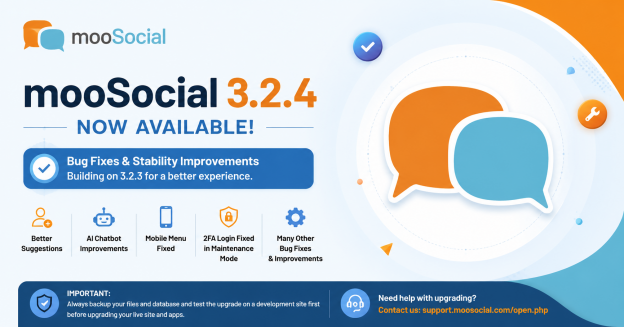
banner moosocail 3.2.4

We are pleased to announce the release of mooSocial v3.2.4.

This release focuses primarily on bug fixes and stability improvements following the introduction of the AI Chat Bot and Two-Factor Authentication (2FA) features in v3.2.3. Our team has addressed several reported issues to ensure a smoother and more reliable experience across both web and mobile platforms.

Fixed Issues

1. People You May Know Block Issue

  • Fixed an issue where the People You May Know block became empty after adding new friends.

2. AI Chat Bot Menu Management

  • Fixed an issue where the AI Chat Bot menu item could not be edited from the administration panel.

3. Mobile Menu Not Opening in Production Mode

  • Fixed an issue causing the mobile menu to fail to open when the site was running in Production Mode.
  • The menu now functions correctly across all application modes.

4. 2FA Login During Maintenance Mode

  • Fixed an issue preventing administrators from logging in with Two-Factor Authentication (2FA) while the website was in Maintenance Mode.

5. Additional Improvements

  • Fixed various other minor bugs and stability issues reported by clients.
  • General performance and reliability improvements.

Important Notes

  • The new version is now available for download in the client area:
    https://clients.moosocial.com/users/login
  • All paid plugins are fully compatible with mooSocial 3.2.4.
  • All paid themes are fully compatible with mooSocial 3.2.4.
  • Important: Do not upgrade your live website or mobile apps until you have:
    • Created a complete backup of your website files and database.
    • Successfully performed a test upgrade on your development/staging environment.
  • If you need assistance with the upgrade process, please contact our support team:
    https://support.moosocial.com/open.php

Thank you for your continued support and feedback. Your reports help us improve mooSocial and deliver a better experience for everyone.

Celebrate Freedom to Connect

AdobeStock_353270439-scaled-e1593884651377 copy

Celebrate the power of community this Independence Day
Get 15% OFF mooSocial — the all-in-one social networking platform that adapts to your vision.
✅ Flexible
✅ Scalable
✅ Mobile-ready
Use code FREEDOM15 before July 10!

Memorial Day Sale – 15% Off Sitewide Until May 30 with Code MEMORIAL15!

22721209_G

In honor of Memorial Day, we’re offering you a special thank-you: enjoy 15% off sitewide now through May 30th!

Whether you’re looking to enhance your online community, upgrade your plugins, or start fresh with new features, now is the perfect time to save.

This limited-time promotion is our way of commemorating the holiday and giving back to our amazing customers. Don’t miss out—shop now and take advantage of this exclusive deal before it ends.

Use promo code: MEMORIAL15 at checkout.

Offer ends May 30, 11:59 PM (PST).

Let’s honor and remember, and save while doing it. Happy Memorial Day!

How to create a social network site like facebook using moosocial.com platform?

how to build a facebook-like social network

MooSocial is a PHP-based social network software that provides ready-to-use features like timelines, friend systems, groups, messaging, photo/video sharing, and more—ideal for launching a niche or general-purpose social site.


✅ Step-by-Step Guide

1. Purchase and Download MooSocial

  • Go to https://moosocial.com

  • Choose a pricing plan based on your needs (self-hosted or cloud)

  • Create an account and download the package


2. Prepare Your Hosting Environment

You can either:

  • Host on your own VPS (like DigitalOcean, Linode)

  • Use shared hosting that supports:

    • PHP 7.x or 8.x

    • MySQL 5.6+

    • Apache/Nginx

Minimum server requirements:

  • Apache or NGINX

  • PHP 7.4 or 8.x with required extensions (like mbstring, gd, curl, pdo_mysql)

  • MySQL 5.6+

  • IonCube loader installed (for MooSocial licensing)


3. Upload and Install MooSocial

  • Unzip the MooSocial package

  • Upload files to your web root (/public_html or /var/www/html)

  • Create a MySQL database via cPanel or phpMyAdmin

  • Visit yourdomain.com/install

    • Fill out database info

    • Set admin username/password

  • Follow the installer prompts


4. Configure Basic Settings

Once installed, log in as Admin:

  • Go to Admin Dashboard

  • Configure:

    • Site name, logo

    • Default language

    • Time zone

    • Email settings (SMTP)


5. Customize Theme and Branding

  • Choose or upload a custom theme

  • Modify CSS and layout via the Theme Manager

  • Add your logo and branding in the admin panel


6. Enable Core Features (Facebook-like)

From the Plugin Manager, enable:

  • Friends/Followers system

  • Messaging

  • Timeline and Newsfeed

  • Groups or Pages

  • Photo and Video sharing

  • Notifications


7. Install Additional Plugins

You can enhance your site by buying/installing official plugins:

  • Chat

  • Ads Manager

  • Live Video

  • Points & Rewards

  • Mobile app (optional)

Browse the MooSocial Plugin Store for more options.


8. Set Up Permissions and User Roles

  • Go to Manage Roles under Admin

  • Define user roles (e.g., Admin, Moderator, User)

  • Set permissions for posting, messaging, reporting, etc.


9. Test Your Social Network

  • Create test accounts

  • Test friend requests, posting, messaging, photo uploads

  • Check mobile responsiveness


10. Launch Your Site

  • Configure SEO settings

  • Link to a custom domain (if not already done)

  • Promote your site through social media or email campaigns


Consider:

  • Backups – Set up regular backups (daily or weekly)

  • Security – Use SSL (HTTPS), keep software/plugins updated

  • Performance – Use caching (like Redis or Varnish), enable CDN


Optional: Launch Mobile App

MooSocial offers Android and iOS apps (requires purchase and setup via React Native or third-party services)

Easter Sale – 15% OFF with Code EASTER15 on mooSocial!

ce351d324b5c261b37d00788c5b29b316049b59f1750012f708321c78f12d962-rimg-w1200-h463-dcdbfafe-gmir copy

Spring into savings this Easter with our special Easter Sale at mooSocial.com! Whether you’re looking to start your own social network or upgrade your current site with powerful features, there’s never been a better time to do it.

Get 15% OFF all ShaunSocial products – now through May 1st!

From community-building tools to advanced plugins, mooSocial makes it easy to create a vibrant online space tailored to your vision. This limited-time offer applies to:

✅ mooSocial Script and packages
✅ All Premium Plugins
✅ Add-ons & Themes
✅ Upgrades and More!

Sale Ends: May 1, 2025

Don’t miss your chance to grab everything you need to build and grow your community — at a sweet Easter discount!

Use code: EASTER15 at checkout to redeem your 15% discount.

Hop on over to moosocial.com and start building your social network today!

Happy Easter from the mooSocial Team!