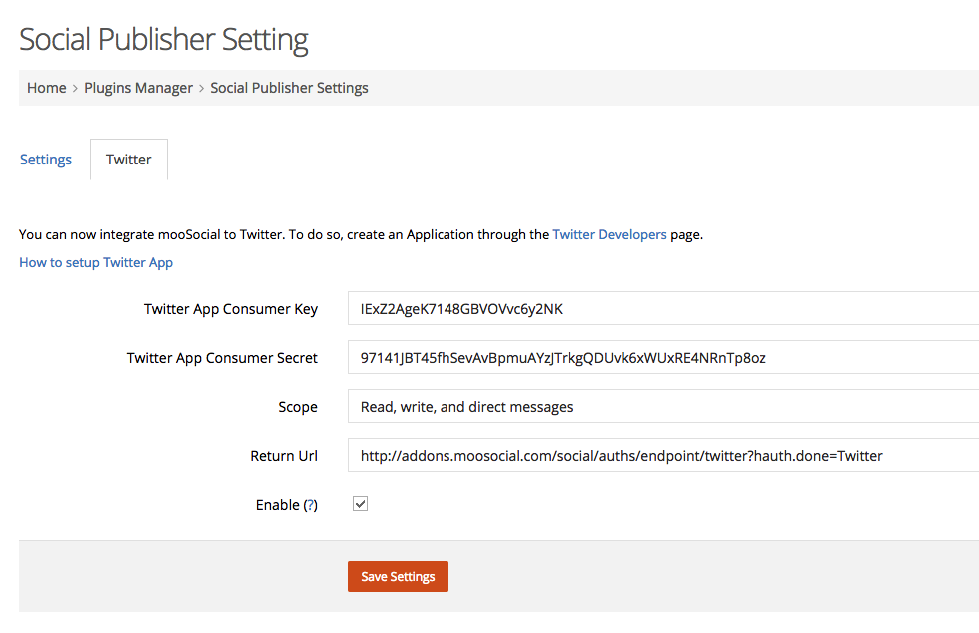
1. Login to your admin dashboard
2. Under Plugin Manager > Find Social Publisher Plugin
3. Enter Your Plugin Settings
4. Enter Your Twitter Settings
1. Login to your admin dashboard
2. Under Plugin Manager > Find Social Publisher Plugin
3. Enter Your Plugin Settings
4. Enter Your Twitter Settings
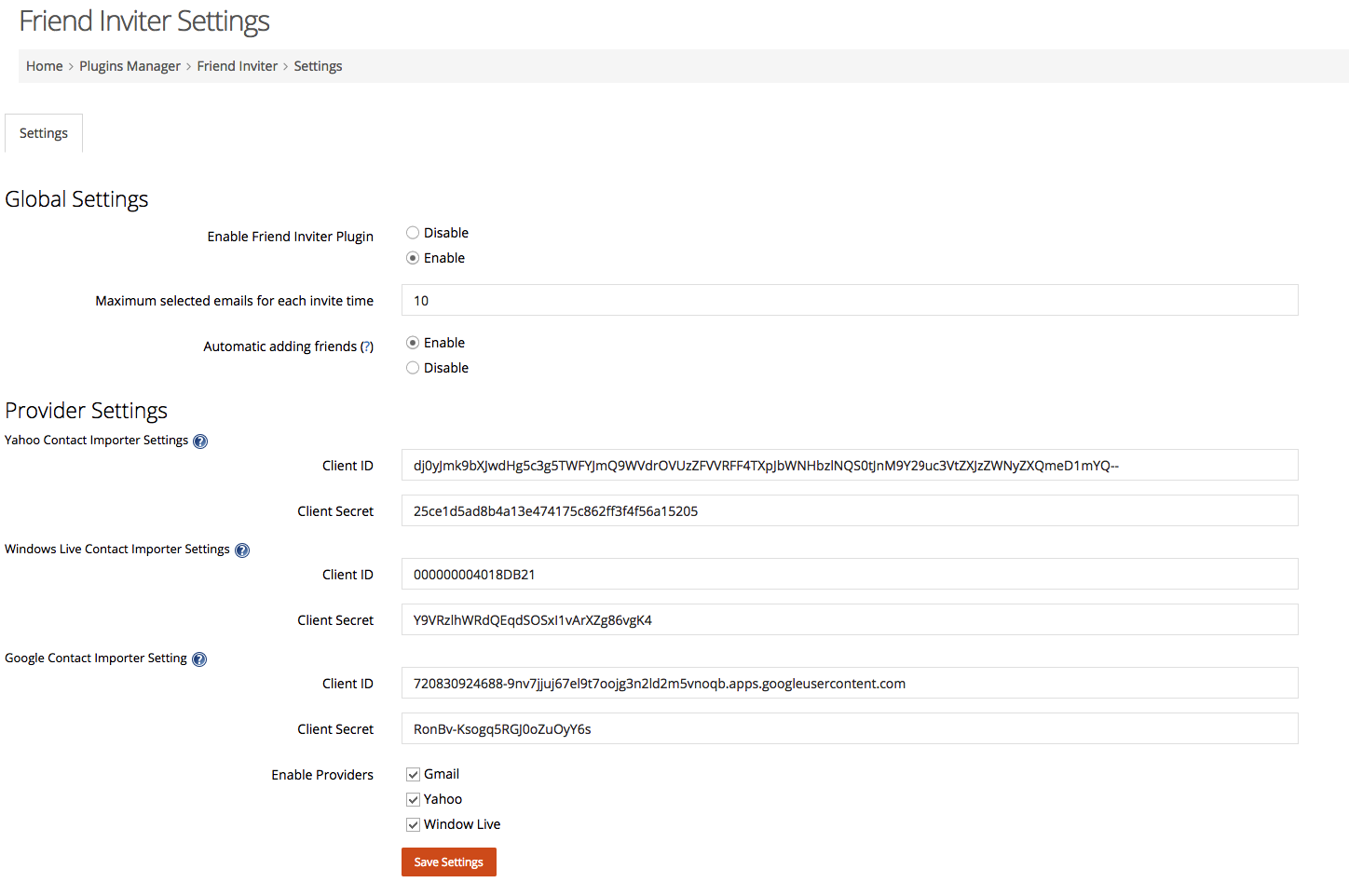
1. Login to your admin dashboard
2. Under Plugin Manager > Look for Friend Inviter
3. Enter Your Settings
4. Enter Providers ID and Secret
How to get Yahoo App Client ID & Secret?
1. Admin goes to Plugins Manager/ Music/ Artists manager page
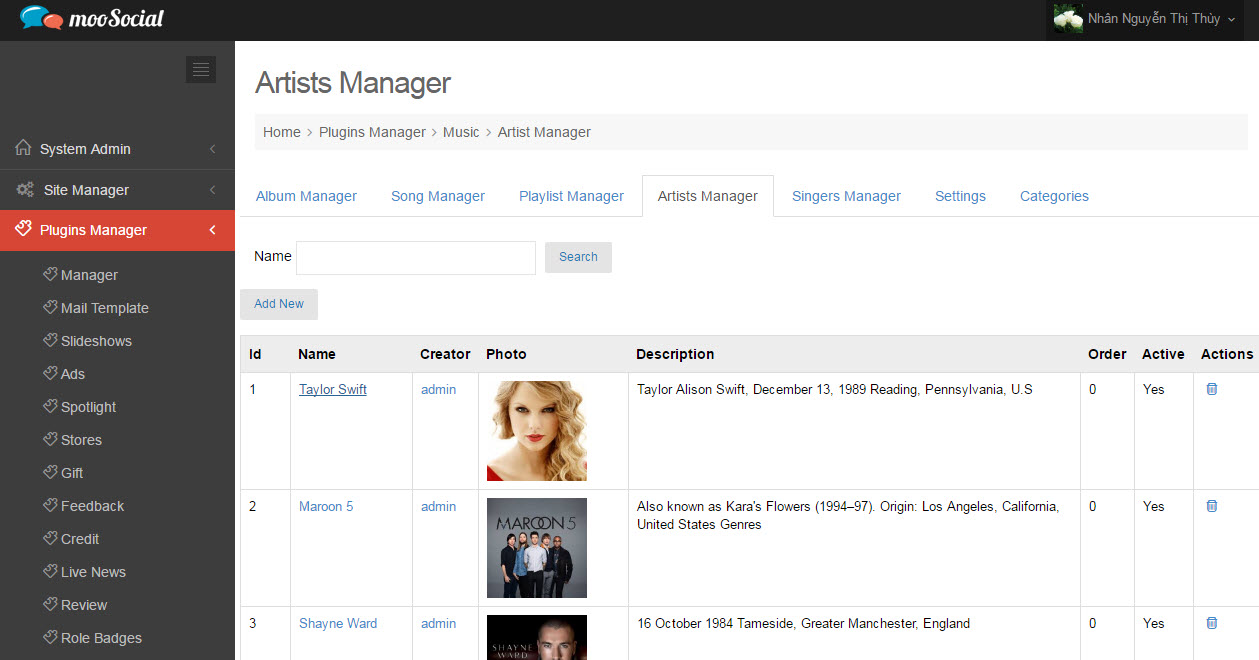
2. Add new artist
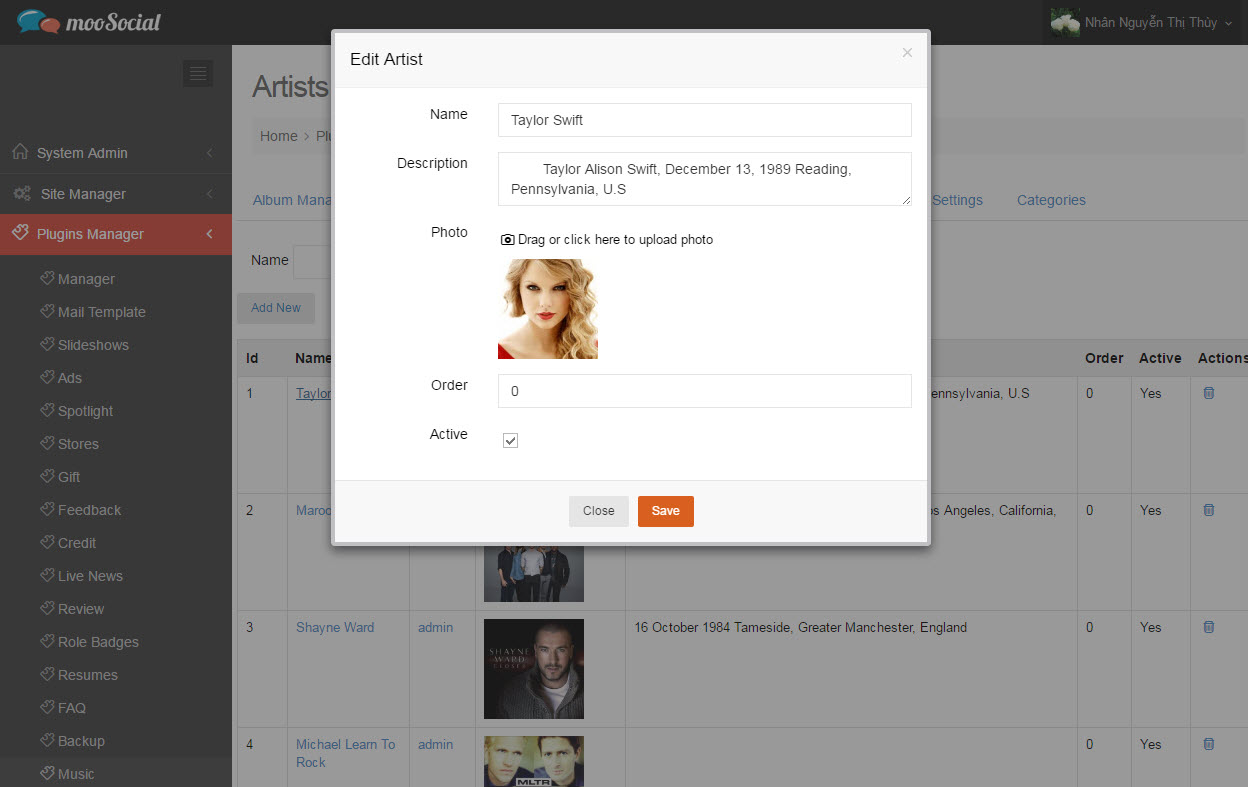
Or active artists who are created by normal users
3. Then, go to front-end/ Browse Artists page to see the activated artists
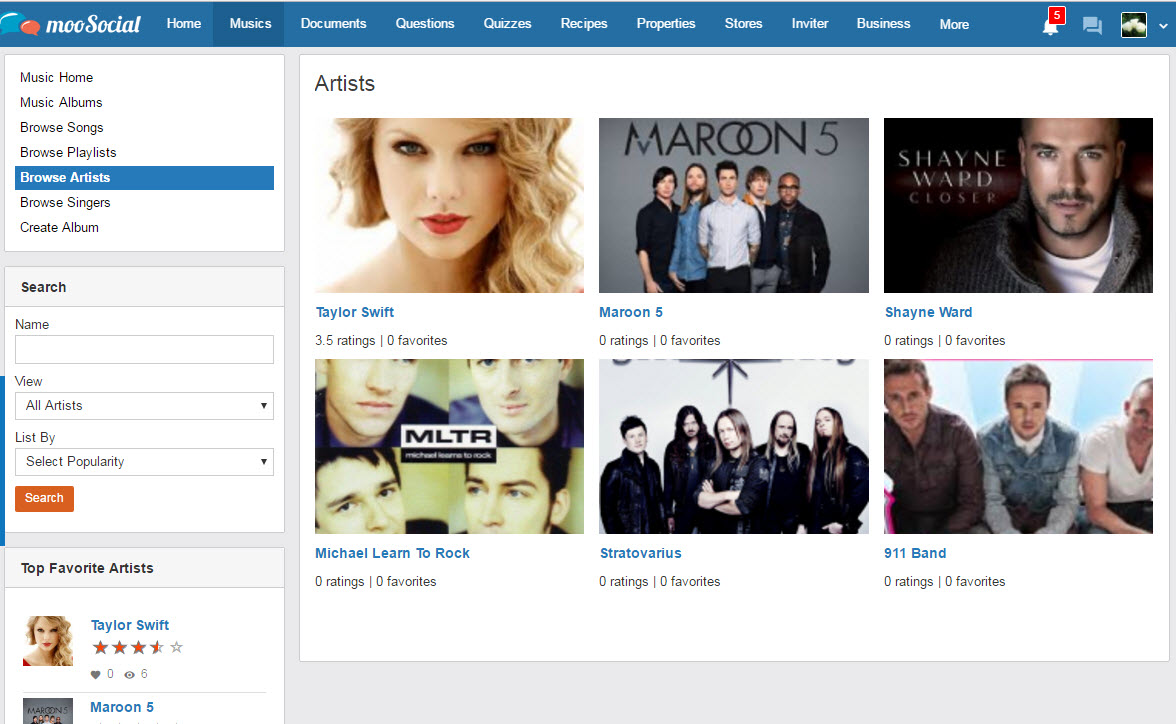
NOTICE: The same creating a singer process.
1. Site admin enables SoundCloud setting on Plugin Manager/ Music plugin/ Setting
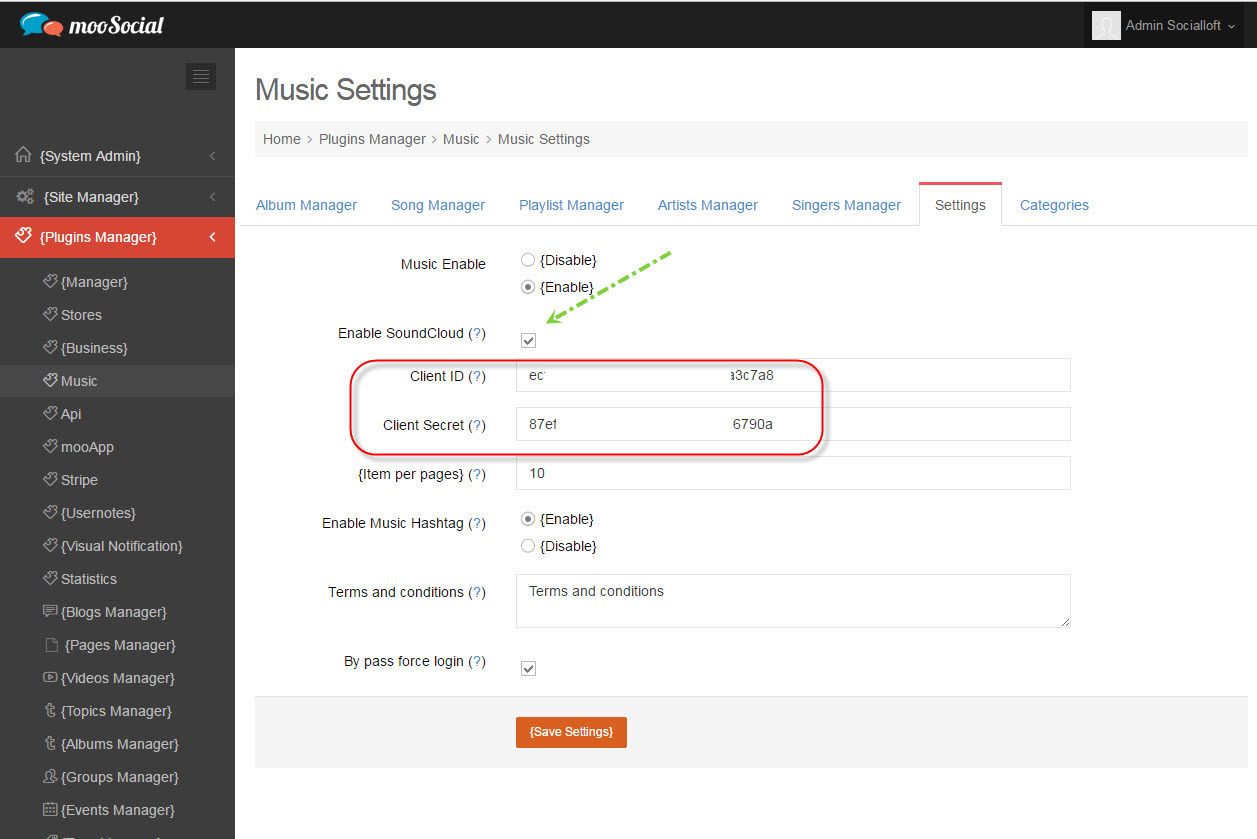
2. Fill SoundCloud Client ID and Client Secret after enabling the setting.
3. On front-end, user uploads song to the album
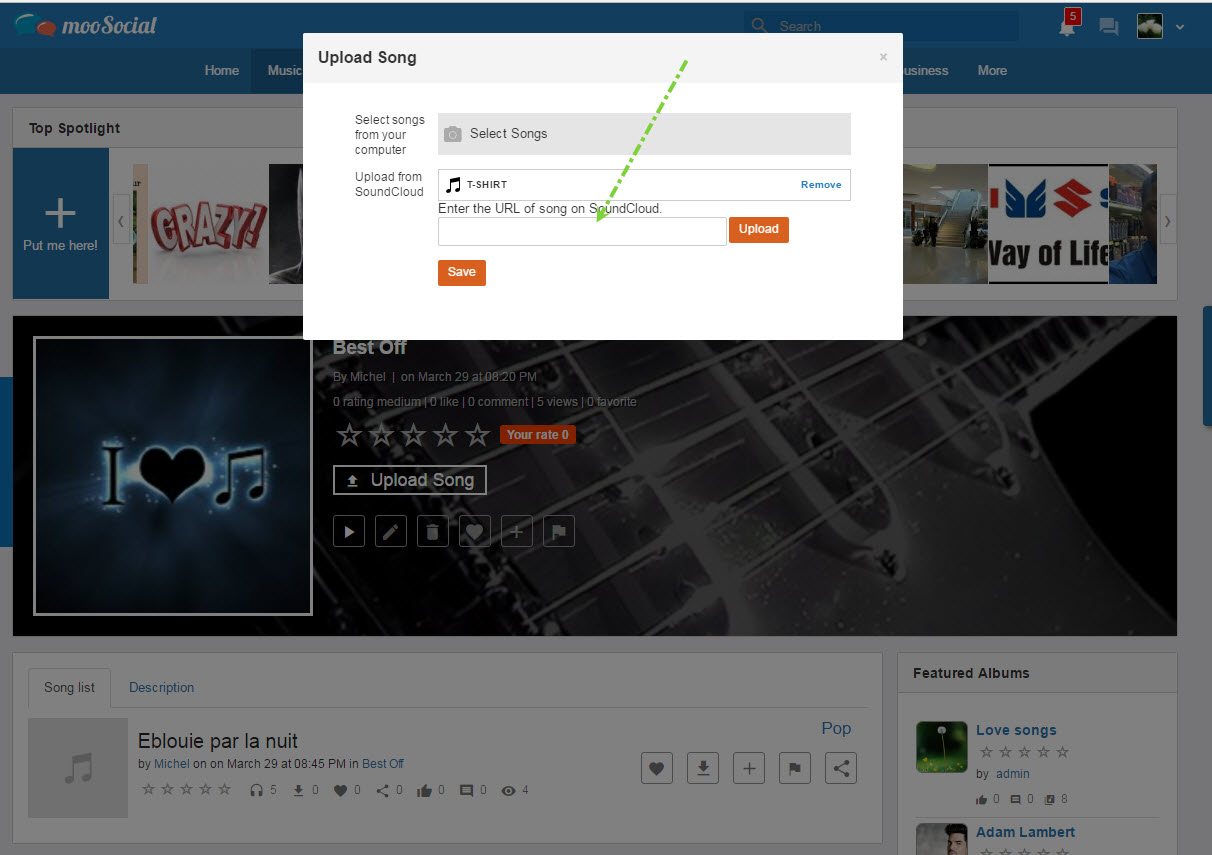
4. Copy and paste a song’ URL from SoundCloud to upload song textbox.
5. Click on “Upload” button, then “Save” changes
The upload song is displayed on album detail page, a user can view.
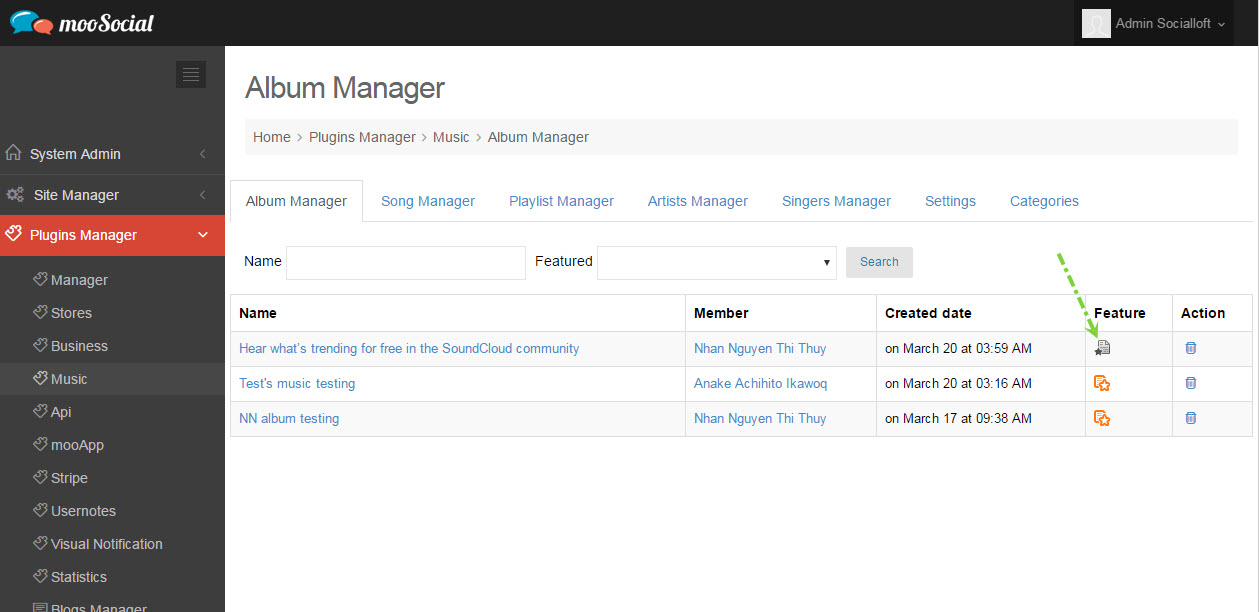
1. Admin directs to Plugins Manager/ Music/ Album Manager, clicks on “Feature” icon to feature album (Other items are same as).
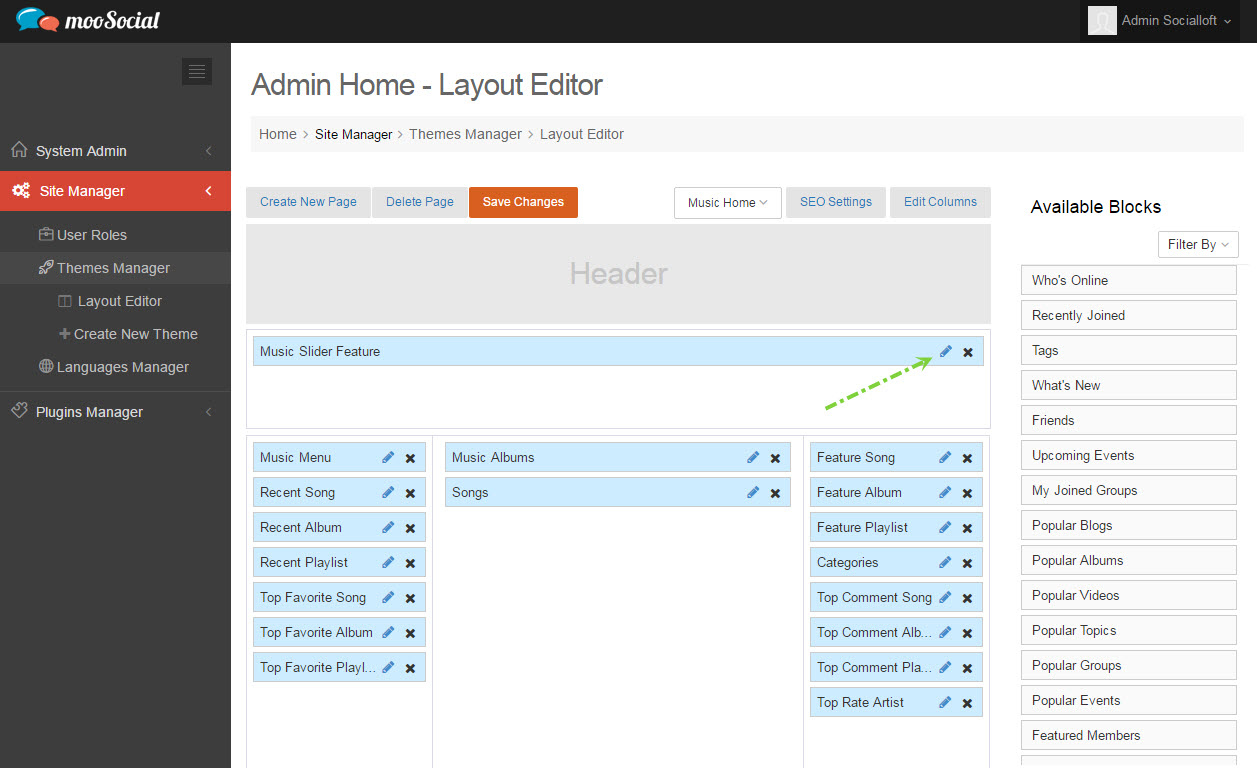
2. Admin goes to Site Manager/ Themes Manager/ Layout Editor, choose “Music Home” page.
3. Choose “Type” to display featured items.
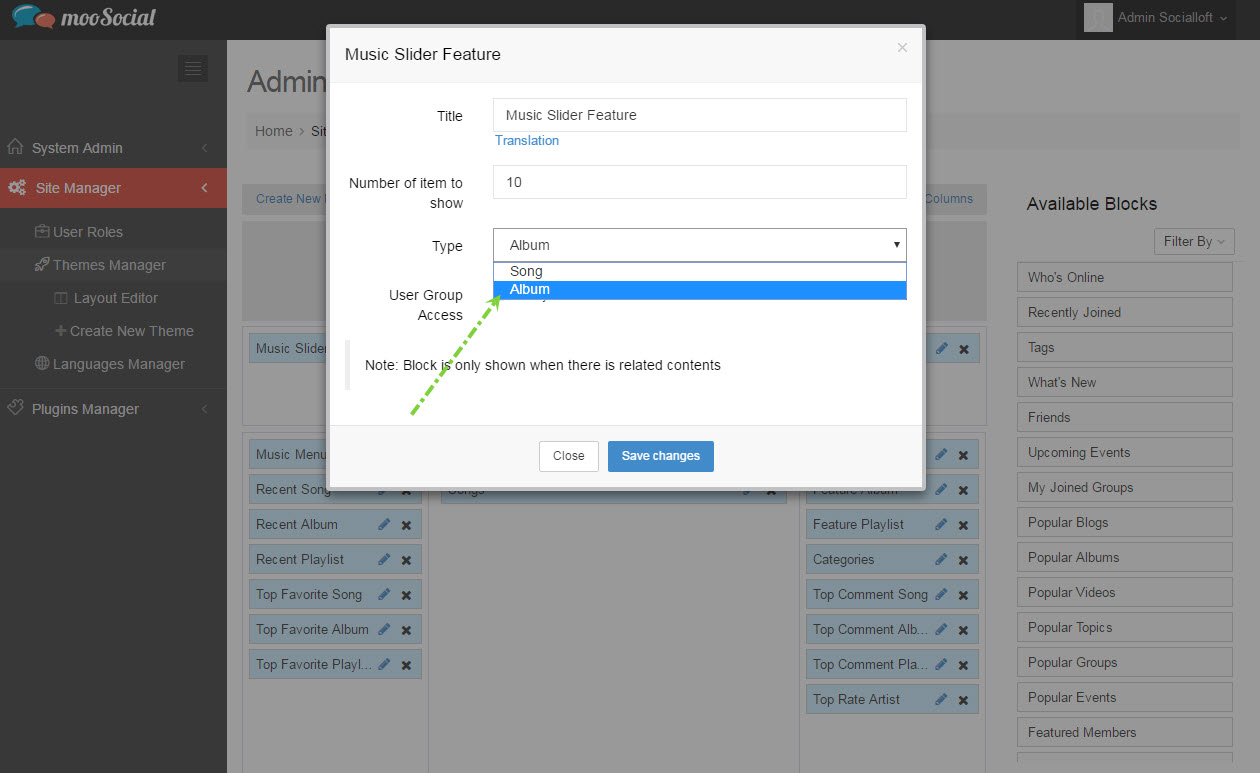
4. “Save Changes” and view featured widget on “Music Home” page on front-end.